Reports
Overview
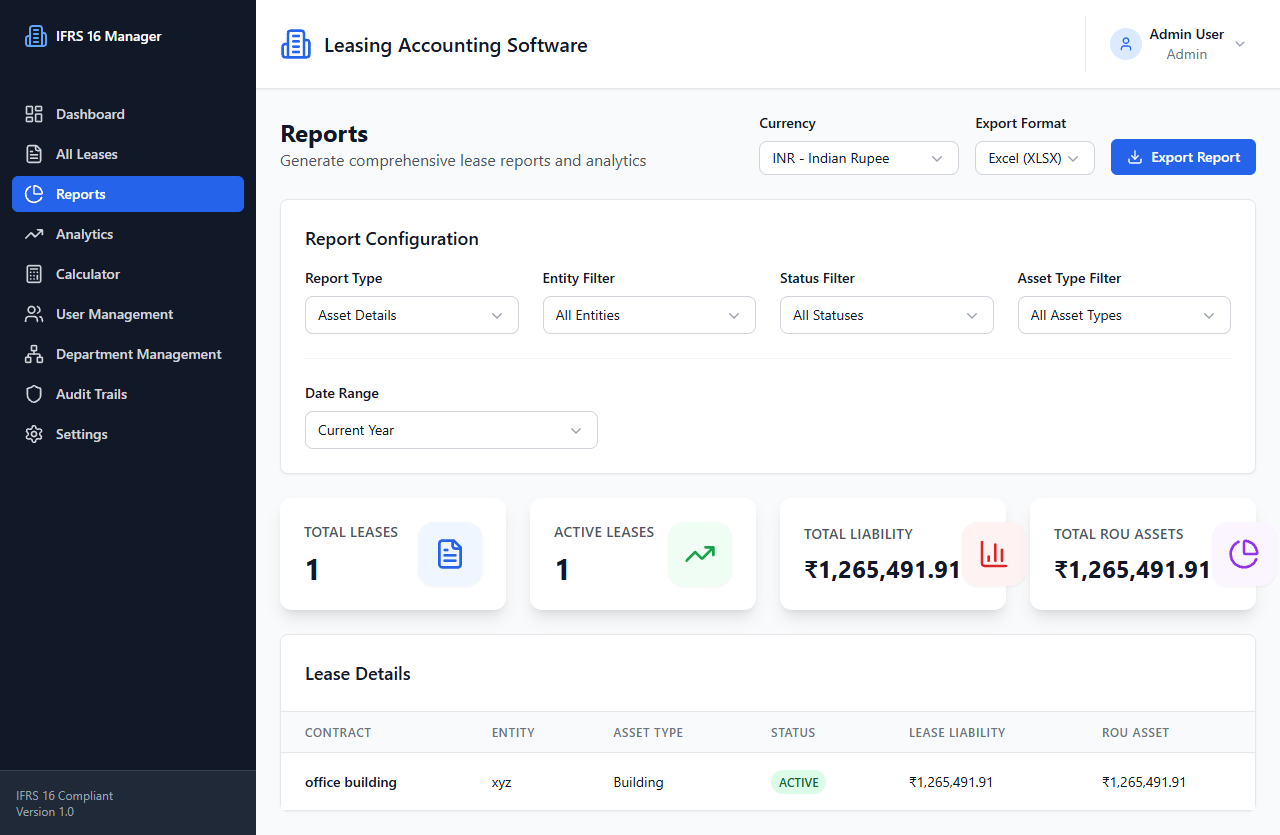
The reports page lets users select report type, period, currency, entity/status/asset filters, and file format, then download a generated report.
- Route:
/reports(protected) - Source:
front/src/pages/Reports.tsx - Layout:
DashboardLayout
User actions
- Select report type, date range/custom dates, currency, entity, status, asset type, and export format.
- Generate and download a selected report.
- Custom ranges are checked for both dates and valid start/end ordering before export.
APIs and data flow
- On initialization:
GET /settingsto load default currency; thenGET /leasesto obtain leases for local page data. - Generate action calls
GET /reports/export/:typefor standardized report types, or the compliance/portfolio report methods based on selection. - Report bytes are downloaded as a blob with a generated filename.
getReportFormatsandgetReportTemplatesare present in the service but their calls are commented out in this page.
States
The page tracks data and export loading flags. Generation errors are logged and shown with a browser alert. Exact backend report output structure is binary and backend-defined.
Source: front/src/pages/Reports.tsx, front/src/services/api/reportService.ts.
See Reports API.