Lease portfolio
Overview
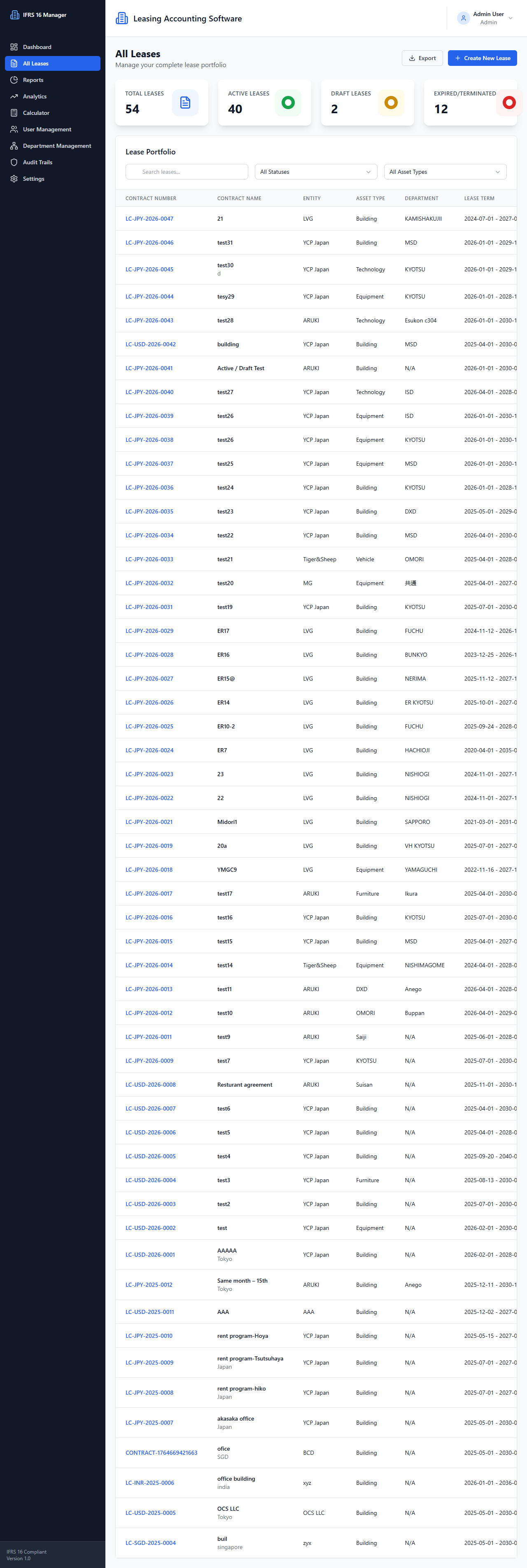
The All Leases page displays the portfolio and summary counts.
- Route:
/leases(protected) - Source:
front/src/pages/AllLeases.tsx - Layout:
DashboardLayout - Components:
LeaseTable,Button,LoadingSpinner
User actions
- Search, status filter, and asset-type filter. Each filter change triggers a reload; this page requests page 1 with limit 100.
- Navigate to lease creation.
- Export leases as CSV.
- Delete, terminate, or reactivate a lease after browser confirmation.
- Table links navigate to lease detail/edit routes.
APIs and data flow
- Initial mount and filter changes call
GET /leaseswith available query parameters andGET /leases/summaryin parallel. - Mutations call
DELETE /leases/:id,POST /leases/:id/terminate, orPOST /leases/:id/reactivate, then reload list and summary. - Export calls
GET /leases/export?format=csvas a blob. - Lease API response objects are mapped to the frontend
Leasetype byleaseService.
States
- Shows loading spinner and a failure message with Retry.
- Failed actions/export are logged and shown with
alert(). - A zero-row result is rendered through the table mapping; no dedicated empty-state message was confirmed.
Source references: front/src/pages/AllLeases.tsx, front/src/components/dashboard/LeaseTable.tsx, front/src/services/api/leaseService.ts.
See Lease API.