Login
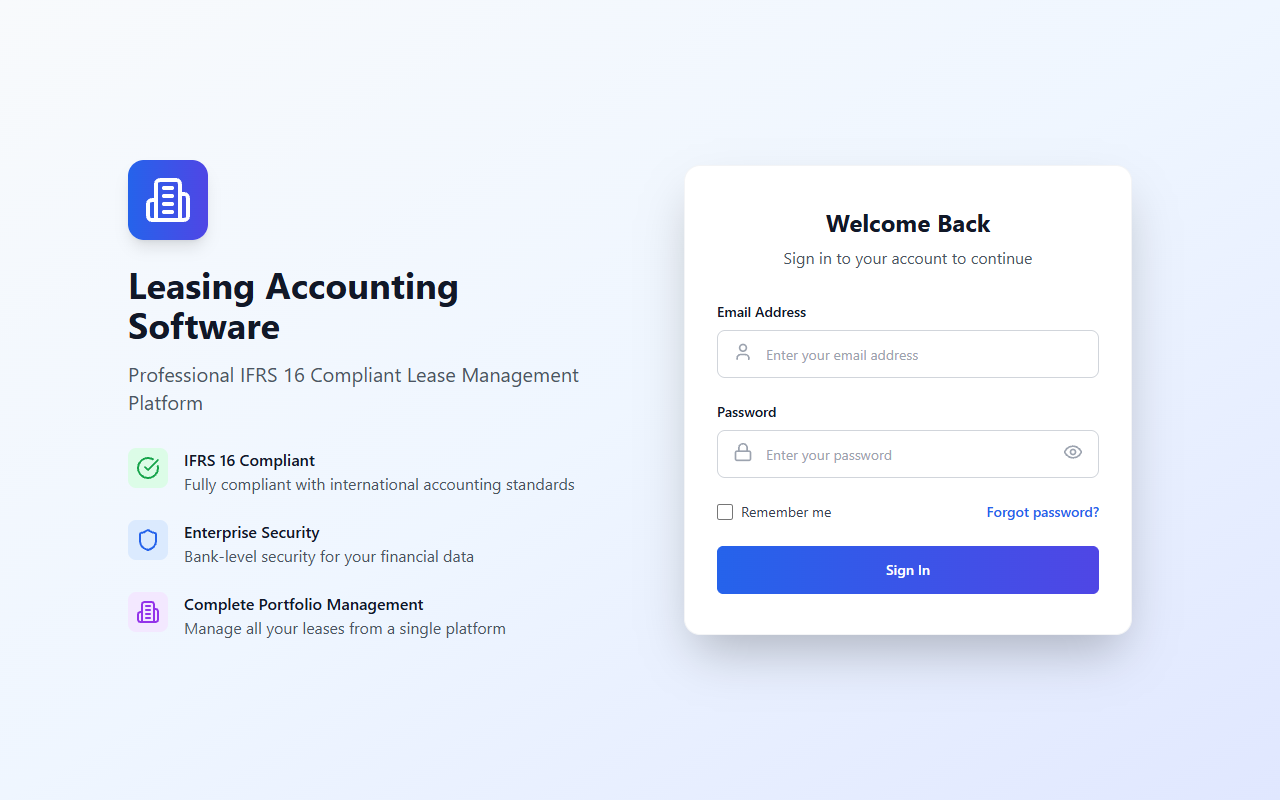
Overview
The public login form submits email and password credentials through authService. It also includes a forgot-password form.
Route and access
- Route:
/login - Authentication: Public when signed out. If app user state exists,
App.tsxredirects to/dashboard. - Source:
front/src/App.tsx,front/src/components/auth/LoginForm.tsx
Actions and data flow
- Submit email/password ->
POST /auth/login. - On success, stores the access token and optional refresh token through the auth service. User persistence is selected by “Remember me”: local storage when checked; session storage otherwise.
- Normalizes permission values, updates auth hook state, calls optional
onLogin, then navigates to/dashboard. - Forgot password form submits email through
POST /password-reset/forgot-password. Success feedback is shown and form state is cleared after five seconds. - Password visibility and remember-me controls are local component state.
Components, hooks, and states
LoginFormitself usesuseAuth, React Router navigation, and sharedButton/Inputcomponents.- Loading flags are shown for login and forgot-password submission; errors are rendered in the form.
- Empty state: Not applicable to this form.
- API failure behavior: Error text is shown. Exact backend error response and validation contract are not available from the frontend source code.
API references: Authentication, Password reset endpoints.