Create lease
Overview
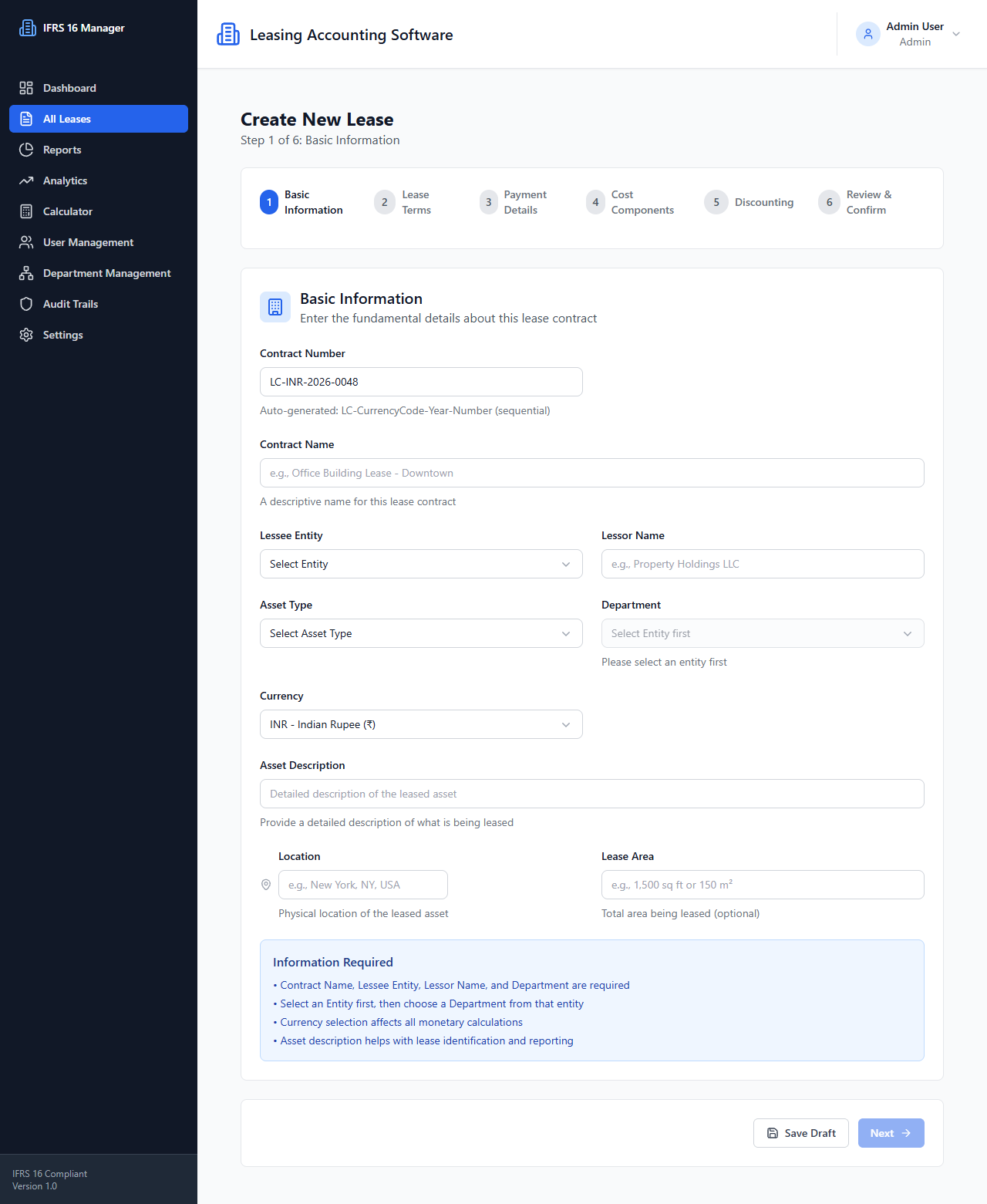
The creation route renders the lease wizard for entering lease data.
- Route:
/leases/create(protected) - Source:
front/src/pages/CreateLease.tsx - Layout:
DashboardLayout - Main component:
front/src/components/forms/LeaseWizard.tsx
User actions and data flow
The wizard presents six steps: Basic Information, Lease Terms, Payment Details, Cost Components, Discounting, and Review & Confirm. Inputs are held in wizard component state and step validation is implemented in the wizard. During initialization, it requests user settings. The steps load entities/departments as required by form selection. On the Review & Confirm step, ReviewConfirmStep calls the backend preview when form data changes and renders returned total payments, lease liability, ROU asset, and interest expense.
On submission, the wizard uses the lease service to create the lease. Payment-band validation and schedule preview logic are present in the form/utilities. Exact backend validation and calculated response schema are not available from the frontend source code.
APIs and states
GET /settingsfor configured defaults.- Entity and department lookups from
entityService/departmentService. POST /leaseswithLeaseFormDataon confirmed creation.POST /leases/calculate-previewis invoked byReviewConfirmStepwhen itsformDataeffect runs.- The wizard tracks its active step and submission loading state. More detailed error presentation should be checked in the current page/component implementation.
Source: front/src/pages/CreateLease.tsx, front/src/components/forms/LeaseWizard.tsx, front/src/utils/paymentBands.ts.
See Lease API and Component overview.