Dashboard
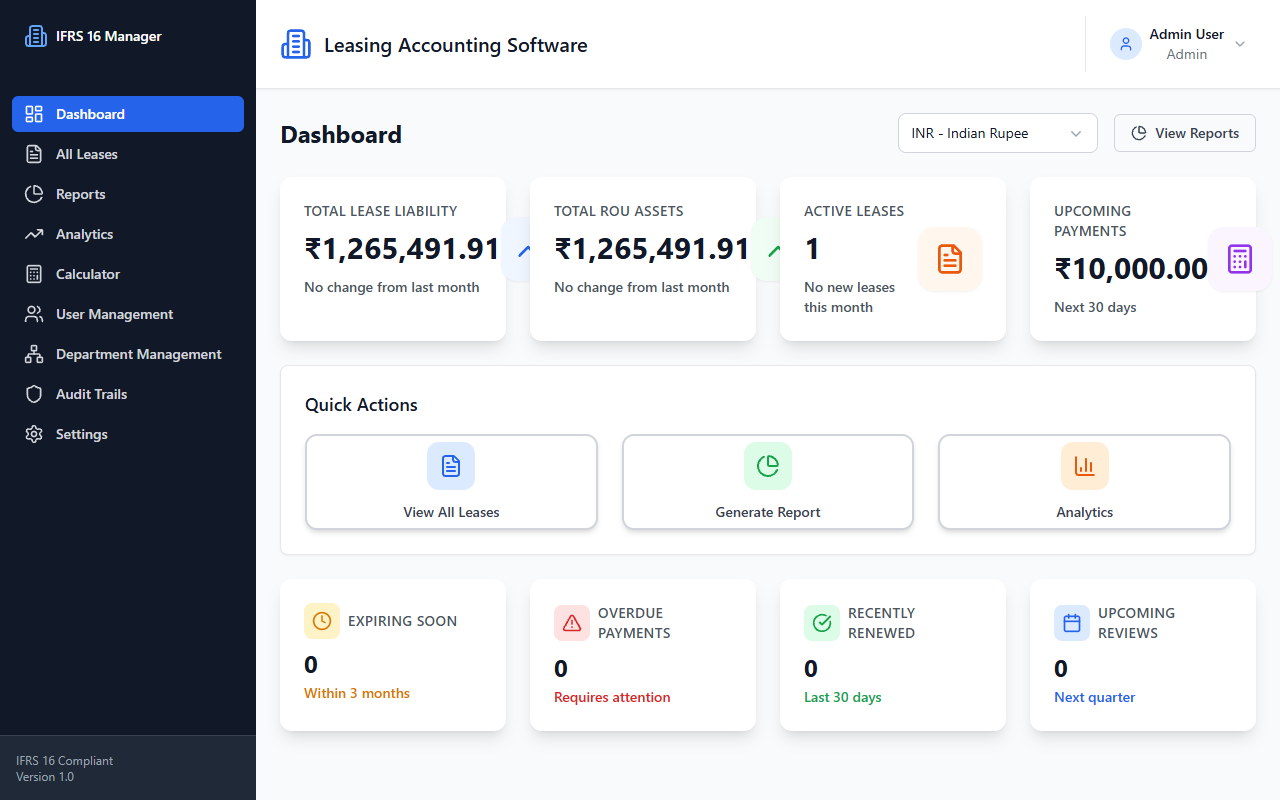
Overview
Displays portfolio summary metrics and navigation shortcuts.
- Route:
/dashboard(protected) - Source:
front/src/pages/Dashboard.tsx - Layout:
DashboardLayout - Components: dashboard
SummaryCard, UIButton,Select,LoadingSpinner
User actions
- Select a reporting currency; the summary request is repeated for the selected currency.
- Navigate to Reports or All Leases through dashboard buttons.
APIs and data flow
- On mount,
settingsService.getUserSettings()loads the default currency (GET /settings). - When currency is resolved or changed,
dashboardService.getDashboardSummary(currency)callsGET /analytics/summary?currency=.... - Successful summary data is saved in page state and rendered in cards.
States
- Shows a spinner while summary is loading.
- On failure, shows an error and Retry button that calls the load function again.
- Starts with zero-valued metrics before data is loaded; this is not a separate empty-results message.
Source references: front/src/pages/Dashboard.tsx, front/src/services/api/dashboardService.ts, front/src/services/api/settingsService.ts.
See Dashboard API.